Open navigation menu - Kieri Solutions
What Does “Monitor” Actually Mean in CMMC Requirements?

What Does "Monitor" Actually Mean in CMMC Requirements?

CMMC monitoring requirements - access control and password security verification

In this article

Why logging isn’t enough and what assessors actually look for


The word “monitor” appears approximately 250 times in the CMMC Level 2 assessment guide. That’s twice as many times as “logging.”

Yet many defense contractors treat these terms as interchangeable. They capture logs and assume they’re monitoring. They’re not.

This distinction matters because assessors specifically verify monitoring capability. Having logs isn’t enough. You need to demonstrate that someone or something is actually watching those logs and can react when problems appear.

The Fundamental Difference Between Logging and Monitoring

Logging means capturing data. Your systems record events, your firewalls track traffic, your servers document who logged in and what they accessed.

Monitoring means acting on that data. Someone reviews the logs. Something scans for anomalies. When bad activity appears, it gets escalated.

Think of it this way: a security camera recording to a hard drive is logging. A guard watching the monitors is monitoring.

You can log everything perfectly and still fail monitoring requirements. If nobody ever looks at those logs, if no process exists to detect and respond to issues, you’re not monitoring.

Due Care Means Knowing What’s Happening

One of our assessors describes monitoring as due care and due diligence. You care about security, so you want to see what’s actually happening. You don’t just assume everything is fine.

There’s an old saying that applies perfectly here: don’t expect what you don’t inspect.

If you expect your access controls to work but never verify them, you might be surprised to learn they’ve been misconfigured for months. If you expect users to follow security policies but never check, you might discover widespread violations when it’s too late.

Monitoring is the inspection. It’s how you verify that your expectations match reality.

What Assessors Actually Look For

During assessments, we verify monitoring in a specific way. We ask to see your monitoring process. We ask you to demonstrate it.

Here’s what reveals whether you actually monitor: can you pull up the monitoring screen quickly?

If you check something daily, you know exactly where to find it. You don’t hesitate. You don’t search through menus. You go directly to the dashboard or report you use every day.

If you struggle to find where monitoring happens, that tells us you don’t actually look at it regularly. The process might exist on paper. The capability might be configured. But nobody is using it.

This is a telltale sign assessors watch for. Familiarity demonstrates practice. Hesitation suggests the monitoring exists only for the assessment.

If You See Something, Say Something

Monitoring isn’t just observation. It’s observation with the capacity to respond.

Capturing network traffic is logging. Having someone review that traffic and escalate suspicious patterns is monitoring. The difference is the human element, the decision-making, the ability to act.

This applies whether you use human eyes or automated systems. A SIEM that scans logs and generates alerts counts as monitoring if someone responds to those alerts. A dashboard that displays information but triggers no action when problems appear isn’t really monitoring.

The key question: if something bad happened, would your monitoring detect it and get it escalated?

Identify, Control, and Monitor Are Three Separate Things

Assessment objectives often include three components: identify how you’re doing something, control it, and monitor it.

These aren’t redundant. They’re three distinct activities that might involve three different people.

Identify means documenting your approach. This is often your compliance lead or GRC team explaining policies and procedures.

Control means implementing technical or administrative measures. This is often your IT team configuring Group Policy, firewalls, or access permissions.

Monitor means verifying controls work and detecting when they don’t. This is often your security operations or incident response team reviewing logs and dashboards.

When scheduling assessment interviews, make sure the right person is available for each component. The person who wrote the policy might not be the person who configured the control or the person who monitors its effectiveness.

Why “We Control It So We Don’t Need to Monitor” Fails

This is one of the most common mistakes we see.

Organizations say they don’t need to monitor certain activities because they’ve controlled them. USB drives are disabled through Group Policy. Users can’t enable WiFi on managed devices. Macros are blocked in Office applications.

Therefore, they argue, there’s nothing to monitor. The bad thing can’t happen.

This misses the point entirely.

Controls can fail. Group Policy can be misconfigured. Exceptions can be granted and forgotten. Devices can fall out of management. Users can find workarounds.

Monitoring verifies that controls remain effective. It answers the question: how do you know your controls are actually working?

Even if you expect zero violations, you need a process that would detect violations if they occurred. You need to periodically confirm that zero violations is the reality, not just the assumption.

Showing Monitoring Capability with Zero Results

This raises a practical question. If your controls are effective and violations don’t occur, how do you demonstrate monitoring?

The answer is showing the monitoring function, not the results.

If you have a query that would detect USB device connections, show the query. Run it. If it returns zero results, that’s fine. The point is that the query exists and you run it regularly.

If you have a dashboard that would display WiFi enablement attempts, show the dashboard. If it’s empty, that’s fine. The point is that you check it.

You don’t need to disable security controls and create violations just to have something to monitor. You need to demonstrate that your monitoring capability exists and would work if violations occurred.

Document when you run these checks. Keep records showing the date, what you checked, and what you found (even if the finding is “no issues detected”). This creates evidence that monitoring actually happens.

Human Eyes vs Computer Eyes

Monitoring doesn’t require a person staring at a screen constantly. Automated monitoring counts if it’s configured properly.

A SIEM that analyzes logs and generates alerts for suspicious patterns is monitoring. An automated script that runs queries and emails results to security staff is monitoring. A cloud service that watches for specific events and creates tickets is monitoring.

The key is that someone receives notification when problems appear and has responsibility to respond.

What doesn’t count: logs accumulating on a server that nobody ever reviews. Dashboards that display information nobody looks at. Alerts that go to an inbox nobody checks.

Automation can do the watching. Humans need to handle the response.

Physical Security Monitoring

Monitoring extends beyond network security. Physical security monitoring appears in CMMC requirements too.

How do you know who accessed your server room? How do you verify visitor logs are accurate? How do you detect unauthorized access attempts to sensitive areas?

The same principles apply. Logging physical access isn’t enough. Someone needs to review those logs, look for anomalies, and respond when something seems wrong.

Badge access systems generate logs automatically. Monitoring means reviewing those logs periodically, investigating unexpected after-hours access, and following up on access attempts by people who shouldn’t be in certain areas.

Personnel Security Monitoring

Monitoring also applies to people. How do you detect insider threats? How do you identify users who might be violating security policies?

This might involve reviewing access patterns for unusual behavior. Checking if users are accessing systems or data they don’t need for their jobs. Watching for large data transfers or unusual working hours.

The assessment objectives mention monitoring for user misbehavior. You need some mechanism to detect when users behave in ways that could indicate security problems.

This is sensitive territory. Balance security monitoring with privacy and employee trust. But some level of monitoring for unusual activity is expected.

Making Monitoring Sustainable

Daily monitoring sounds exhausting. How do you actually sustain it?

Automate What You Can

Configure systems to alert you when specific conditions occur. You don’t need to review every log entry manually. You need to be notified when something unusual happens.

Set thresholds that trigger alerts. Multiple failed login attempts. Access outside normal hours. Large file transfers. Connections to unusual destinations.

Create Dashboards for Regular Review

Build dashboards that summarize what matters. Instead of scrolling through thousands of log entries, view aggregated metrics that highlight anomalies.

Review dashboards daily or weekly depending on the metric. Document your reviews to create evidence.

Assign Clear Responsibility

Someone specific needs to own each monitoring activity. “Everyone is responsible” means nobody does it.

Assign names to monitoring tasks. Include them in job descriptions. Track completion.

Build Monitoring into Routine

Monitoring works best as habit, not special activity. Check the security dashboard when you start work each morning. Review access logs during weekly staff meetings. Include monitoring status in monthly reports.

Regular routines are sustainable. Special efforts for assessments are not.

Evidence That Demonstrates Monitoring

What evidence should you prepare for assessment?

Screenshots of dashboards and reports you regularly review. Include dates showing ongoing activity, not just assessment preparation.

Documented procedures for monitoring activities. Who does what, how often, and what they look for.

Records of completed monitoring activities. Logs showing when dashboards were accessed, reports were run, or reviews were completed.

Examples of issues detected and escalated. If monitoring found something, show how you responded.

Evidence of monitoring even when nothing was found. Records showing you checked and found no issues still demonstrate active monitoring.

Common Monitoring Mistakes

Confusing Logging with Monitoring

Logs exist but nobody reviews them. The capability is there. The practice isn’t.

Monitoring Only During Assessments

Suddenly everyone checks dashboards when assessors arrive. That’s not monitoring. That’s performing for an audience.

No Documentation of Monitoring Activities

You review logs daily but have no record of it. When assessors ask for evidence, you can’t prove ongoing monitoring.

Wrong Person at the Interview

The compliance lead explains monitoring but can’t demonstrate it because the security team actually does it. Make sure the right people are available.

Assuming Controls Eliminate Monitoring Need

Controls reduce risk. Monitoring verifies controls work. Both are required.

Getting Your Monitoring Processes Right

Monitoring requirements run throughout CMMC. Getting this right requires understanding what assessors actually verify and building sustainable processes.

Download the free KCD brochure at kieri.com/kcd for documentation templates that address monitoring requirements correctly.

Schedule a consultation to discuss implementing monitoring in your environment.

Watch our full discussion to hear how assessors evaluate monitoring during real assessments.


Kieri Solutions is one of 54 authorized C3PAOs in the United States. Our team conducts real CMMC assessments and knows exactly what we look for when verifying monitoring capabilities.

Need CMMC Level 2 Assessment Services? Visit kieri.com/assess

Building a Compliant Network? Check out the Kieri Reference Architecture for turnkey Microsoft 365 GCC-High solutions.

Cybersecurity data analysis supporting CMMC Level 2 audit preparation for defense contractors

Talk to an Expert

Tell us where you are with compliance and we’ll map out the next steps for your team.

Don't miss these

Is Your Security Plan Telling the Truth?
Server room corridor lined with racks in a data center covered by a System Security Plan
Is Your Security Plan Telling the Truth?
What Does the Government Actually Require of You Today?
A network of yellow lines connecting round nodes against a dark background.
What Does the Government Actually Require of You Today?
NIST SP 800-171 Rev 3, What Changed and What It Means for Your CMMC Timeline
Man at a desk in a dark office reading text on a computer monitor, NIST SP 800-171 Rev 3
NIST SP 800-171 Rev 3, What Changed and What It Means for Your CMMC Timeline
CMMC Backup Requirements and The Myths Worth Ignoring
Server backup drives in a dark data center supporting CMMC backup requirements for a defense contractor
CMMC Backup Requirements and The Myths Worth Ignoring
How to Prepare for a DIBCAC High Assessment
Analyst reviewing evidence on dark dual monitors while preparing for a DIBCAC High assessment
How to Prepare for a DIBCAC High Assessment
Out of Scope Assets - What the Final Rule Actually Changed
Abstract data cityscape tied to out of scope assets in a CMMC assessment by Kieri Solutions
Out of Scope Assets - What the Final Rule Actually Changed
CMMC Proposed Rule Analysis - What Defense Contractors Need to Know
Dark cybersecurity image with glowing data illustrating CMMC final rule compliance for defense contractors
CMMC Proposed Rule Analysis - What Defense Contractors Need to Know
CMMC Phase 2 Suspended and What Defense Contractors Need to Know
Analyst reviewing code while working toward CMMC and NIST 800-171 compliance
CMMC Phase 2 Suspended and What Defense Contractors Need to Know
CUI Assets - What Assessors Actually Evaluate
Abstract network of nodes tied to CUI assets and CMMC scope assessed by Kieri Solutions
CUI Assets - What Assessors Actually Evaluate
Do I Even Have CUI? Understanding What You Need to Protect
Abstract data network tied to finding CUI on a defense contractor network with Kieri
Do I Even Have CUI? Understanding What You Need to Protect
Why the DoD Wants Security Protection Data Protected Like CUI
Abstract data network tied to security protection data and CMMC scope assessed by Kieri
Why the DoD Wants Security Protection Data Protected Like CUI
Why Your CMMC Gap Analysis Might Be Worthless - 110 Practices vs 320 Assessment Objectives
Cybersecurity professional conducting CMMC gap analysis for a defense contracting organization
Why Your CMMC Gap Analysis Might Be Worthless - 110 Practices vs 320 Assessment Objectives
Building a CMMC Level 2 Compliant Network You Can Actually Manage
Network architecture visualization for a CMMC Level 2 reference architecture built on Microsoft 365 GCC High
Building a CMMC Level 2 Compliant Network You Can Actually Manage
Why Most CMMC Documentation Fails and How to Fix It
CMMC compliance documentation policies and procedures
Why Most CMMC Documentation Fails and How to Fix It
What Passed a DOD Assessment for System Baselining and Inventories
CMMC system inventory and baseline configuration monitoring dashboard
What Passed a DOD Assessment for System Baselining and Inventories
How to Implement Mobile Code Requirements for CMMC Level 2
CMMC mobile code security controls and technical implementation
How to Implement Mobile Code Requirements for CMMC Level 2
What Does "Monitor" Actually Mean in CMMC Requirements?
CMMC monitoring requirements - access control and password security verification
What Does "Monitor" Actually Mean in CMMC Requirements?
The Version 20 Problem and How to Avoid It
CMMC compliance documentation sequence - cybersecurity program management
The Version 20 Problem and How to Avoid It
Build Your Own CMMC Level 2 Compliant Environment with the Kieri Reference Architecture
CMMC Level 2 compliant environment security controls and access management
Build Your Own CMMC Level 2 Compliant Environment with the Kieri Reference Architecture
Inside the KCD - What Makes This Documentation Different
CMMC compliance documentation templates digital security
Inside the KCD - What Makes This Documentation Different
How the Kieri Compliance Documentation and Reference Architecture Work Together
Kieri Compliance Documentation and Reference Architecture working together for CMMC Level 2 compliance
How the Kieri Compliance Documentation and Reference Architecture Work Together
What's Actually Inside the Kieri Compliance Documentation? A Complete Walkthrough
CMMC compliance documentation and reference architecture security controls - fingerprint scanning and access management
What's Actually Inside the Kieri Compliance Documentation? A Complete Walkthrough
CMMC Assessments by Kieri Solutions
Global cybersecurity compliance support for defense contractors under DFARS
CMMC Assessments by Kieri Solutions
CMMC Education: User vs Network Session Termination
Secure IT infrastructure design supporting CMMC Level 2 compliance for defense contractors
CMMC Education: User vs Network Session Termination
CMMC Proposed Rule has been released! 
Cybersecurity threat - CMMC compliance
CMMC Proposed Rule has been released! 
Interested in the Kieri Compliance Documentation?
Secure data transmission within CMMC compliant network architecture
Interested in the Kieri Compliance Documentation?
How to fix Outlook missing Friday January 13 2023
Interconnected defense contractor networks requiring CMMC Level 2 cybersecurity certification
How to fix Outlook missing Friday January 13 2023
C3PAO Meeting - July 26, 2021 12-1 pm EDT
NIST SP 800-171 DoD Self Assessment Services
DFARS 252.204-7012 and NIST SP 800-171 requirements
NIST SP 800-171 DoD Self Assessment Services
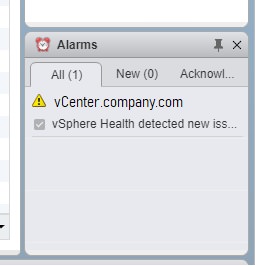
vSphere Health detected new issues in your environment 6.7
vcenter 6.7 alarm displays vsphere health detected new issue
vSphere Health detected new issues in your environment 6.7
vCenter Health Warning: External Platform Services Controller
Synology storage latency and disconnects on VMware
Windows Stuck in Recovery Mode Datto driver signing
Office 365 MFA App Password Missing Fix
Microsoft Teams Conference Calls & Dial-In Numbers
C: Drive Full Exchange
Exchange server very slow, services and network blank
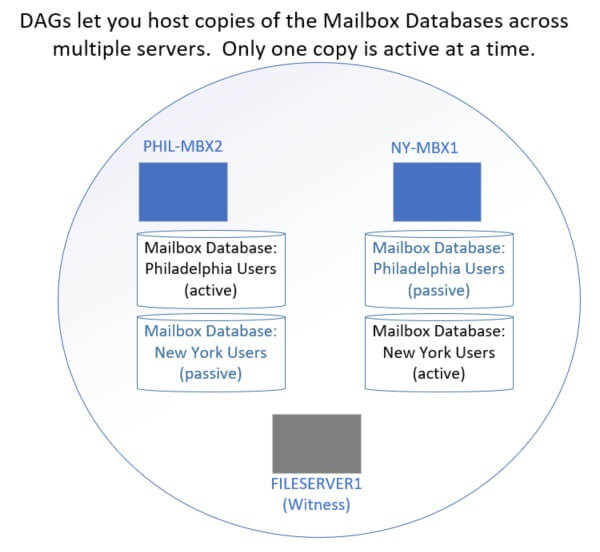
Exchange 2016 DAG - 3 servers 2 sites
Diagram showing mailbox servers with active and passive databases. Each database is only active on one server.
Exchange 2016 DAG - 3 servers 2 sites
Netapp 3rd-party CA certificates expiring DeutscheTelekomRootCA2
Kieri Solutions partnering with defense contractors to achieve CMMC Level 2 certification
Netapp 3rd-party CA certificates expiring DeutscheTelekomRootCA2
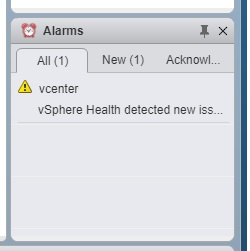
vCenter 6.7 Memory Exhaustion and vSphere health (Tiny)
warning vsphere health detected new issue memory exhaustion 6.7 vcenter
vCenter 6.7 Memory Exhaustion and vSphere health (Tiny)
Step by Step: Upgrade vCenter VCSA 6.0 (or 6.5) to 6.7
How to prepare for a DoD CMMC audit and certification
cybersecurity CMMC DoD NIST 800-171 compliance nist 800-53
How to prepare for a DoD CMMC audit and certification
Fix Expired vCenter Root Password (6.5 & 6.7)
How to rename Windows Server 2016 Domain Controller
Runtime Error Adding Host in VMware vCenter & ESXi
add host a general runtime error occurred vcenter 6.5 6.7
Runtime Error Adding Host in VMware vCenter & ESXi
How to fix Netapp expired self-signed certificate by creating a new one
netapp certificate expired install site cant be reached
How to fix Netapp expired self-signed certificate by creating a new one
How to register a warranty or service agreement on HPE website
hpe hp register account SAR ID service agreement warranty how accept
How to register a warranty or service agreement on HPE website
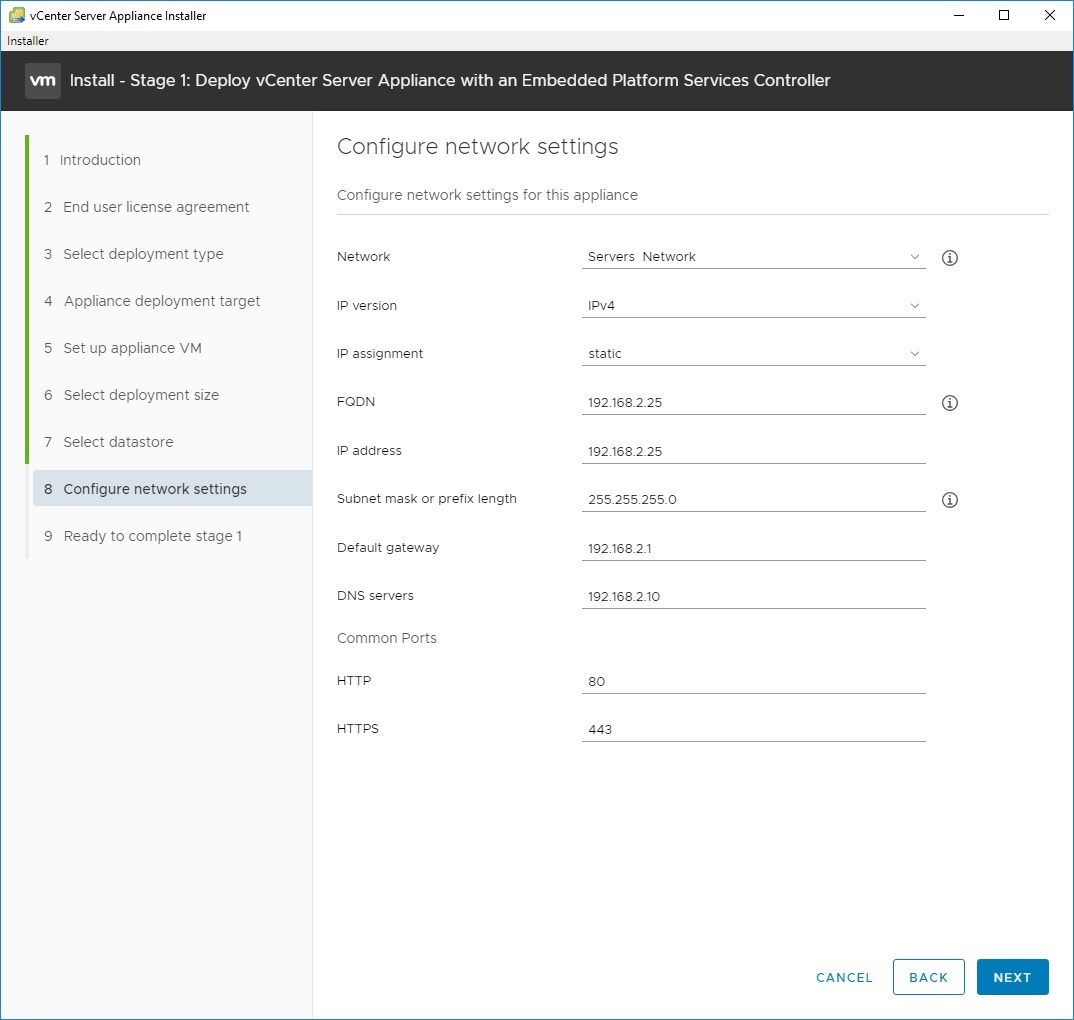
How to install vCenter 6.7 (and 6.0 and 6.5) with no DNS, only IP address
vcenter ip address no dns
How to install vCenter 6.7 (and 6.0 and 6.5) with no DNS, only IP address
How to disable continuous scrolling on Kindle - turn on page flip
disable continuous scrolling option displays
How to disable continuous scrolling on Kindle - turn on page flip
17hats how to export or convert to Excel CSV TAB XLS workbook
17hats export convert iff to csv tab excel
17hats how to export or convert to Excel CSV TAB XLS workbook
How to fix "Cannot apply changes to this Internet Shortcut" Windows
cannot apply changes to this internet shortcut 2016 2019
How to fix "Cannot apply changes to this Internet Shortcut" Windows
Best Free Computer Incident Response Templates and Scenarios
best free incident response reporting form cybersecurity IT
Best Free Computer Incident Response Templates and Scenarios
Firmware & System Patching Services | DC & Maryland
poweredge server raid reconfigure add disks 1 5
Firmware & System Patching Services | DC & Maryland
Network hardening near Baltimore MD, Frederick, Rockville, Gaithersburg and DC
Best practice network segmentation and hardening prevents pivot attacks NIST
Network hardening near Baltimore MD, Frederick, Rockville, Gaithersburg and DC
VMware vSphere ESX and vCenter Upgrade 5.5 to 6.0 or 6.5 or 6.7 best practices
Best practices and how to install esxi vsphere vcenter vmware and troubleshooting problems during the migration
VMware vSphere ESX and vCenter Upgrade 5.5 to 6.0 or 6.5 or 6.7 best practices
Disaster Recovery & Business Continuity in DC & Maryland
disaster recovery drp bcp hipaa frederick columbia gaithersburg baltimore rockville
Disaster Recovery & Business Continuity in DC & Maryland
VMWare and Netapp consultant in DC, Baltimore, Columbia, Frederick, and Rockville MD
installation services netapp disk shelf baltimore columbia rockville
VMWare and Netapp consultant in DC, Baltimore, Columbia, Frederick, and Rockville MD
SBDC - Intro to GDPR training - Frederick MD
intro gdpr overall sbdc fitci frederick
SBDC - Intro to GDPR training - Frederick MD
GDPR and Human Resources
cybersecurity cyber security hardening compliance firewall design frederick
GDPR and Human Resources
No, your computer isn't slow.
why slow computer pc repair frederick damascus mt airy md
No, your computer isn't slow.
Why you should consider a credit freeze - EquiFax hack
credit freeze equifax hack how to breach innovis
Why you should consider a credit freeze - EquiFax hack
Virtual Servers, Storage, and SAN - Why your servers are slow
cybersecurity compliance design consulting engineering
Virtual Servers, Storage, and SAN - Why your servers are slow
How to un-freeze your laptop like a pro
pc or computer problem repair damascus lisbon mt airy laytonsville
How to un-freeze your laptop like a pro
Upgrade your IT Services for the New Year
managed services it department outsource company frederick columbia germantown gaithersburg
Upgrade your IT Services for the New Year
Dell PowerEdge R730 PERC RAID online reconfiguration
poweredge server raid reconfigure add disks 1 5
Dell PowerEdge R730 PERC RAID online reconfiguration
Dreamhost HTTP error Wordpress media upload and library
dreamhost http error picture disappear upload shared wordpress
Dreamhost HTTP error Wordpress media upload and library
FortiAnalyzer Configuration problems after initial deploy
FortiAnalyzer 5.4 Storage Quota Limits for ADOM root
FortiAnalyzer Configuration problems after initial deploy
FortiAnalyzer Report: User Web Browsing by Category
fortianalyzer custom report users by category who is browsing web goofing off
FortiAnalyzer Report: User Web Browsing by Category
GDPR Consulting - What you need to know
cybersecurity CMMC DoD NIST 800-171 compliance nist 800-53
GDPR Consulting - What you need to know
The #1 Computer Security Threat Just Evolved - RCE Worm
cybersecurity cyber security compliance firewall frederick md
The #1 Computer Security Threat Just Evolved - RCE Worm
Fix vSphere & vCenter Datastore Size Reverting
security design cybersecurity consulting services compliance
Fix vSphere & vCenter Datastore Size Reverting
HP DL360p g8 ESXi 5.5 to 6.5 upgrade conflicting_vibs_error
conflicting vibs error vsphere upgrade metadata consultant vmware
HP DL360p g8 ESXi 5.5 to 6.5 upgrade conflicting_vibs_error
Is your IT person holding the network hostage?
Server Upgrade Cybersecurity Consultant SAN Netapp Frederick
Is your IT person holding the network hostage?
4 Hiring Mistakes When Choosing an IT Company
mistakes when hire IT consultant MSP managed service provider computer support outsourcing
4 Hiring Mistakes When Choosing an IT Company
What you should know about Cloud Computing and Office 365
cloud IT department migration Office 365 Frederick Baltimore Columbia MD
What you should know about Cloud Computing and Office 365
Can You Make Our Nation Safe from Hackers?
The Ultimate Way to Protect Against Computer Theft
Kieri Solutions site icon
The Ultimate Way to Protect Against Computer Theft
Small / medium business security concerns
managed services it department outsource company frederick columbia germantown gaithersburg
Small / medium business security concerns
Approaches to security policy
cybersecurity cyber security hardening compliance firewall design frederick
Approaches to security policy

Article

Is Your Security Plan Telling the Truth?
Server room corridor lined with racks in a data center covered by a System Security Plan

Article

What Does the Government Actually Require of You Today?
A network of yellow lines connecting round nodes against a dark background.

Article

NIST SP 800-171 Rev 3, What Changed and What It Means for Your CMMC Timeline
Man at a desk in a dark office reading text on a computer monitor, NIST SP 800-171 Rev 3

No one wants to start from blank templates.
No one wants to start from
blank templates.
Stop starting from blank templates. Get documentation proven through actual CMMC Level 2 assessment.