A walkthrough of actual documents showing pre-written solutions versus empty templates
Most CMMC compliance documentation products share a common problem. They give you empty templates and hope you figure out how to fill them in.
You open a System Security Plan template. It says “describe your facility security controls.” Blank space. You’re supposed to know what to write.
That’s not helpful for organizations without dedicated compliance staff. It assumes expertise you may not have.
The Kieri Compliance Documentation takes a different approach. Pre-written best practices you modify for your environment. Example text based on what actually passes assessments.
This article walks through what that looks like in practice.
The System Security Plan Difference
The KCD System Security Plan runs about 200 pages. That’s not padding. That’s comprehensive coverage with example implementations.
Take Section 3.2 on facilities. Other templates give you a blank space to describe your physical security.
The KCD gives you actual text for different scenarios.
100% cloud-based environment? Here’s what that looks like documented. Gray text indicates these are suggestions you can choose from.
Hybrid environment with some on-premises equipment? Different example text for that scenario.
You read through the examples. You find what matches your situation. You modify the details to reflect your reality.
This is dramatically easier than staring at a blank page trying to figure out what assessors want to see.
The Color Coding System
The KCD uses color coding to distinguish different types of content.
Gray text = suggestions to choose from. These are options. Multiple ways to implement a requirement. Pick what matches your environment. Modify as needed. Delete what doesn’t apply.
Yellow highlighted text = instructions. Where there’s confusion in the industry about what a requirement actually means, we explain it. What assessors are looking for. Common misunderstandings. Based on what we’ve seen pass and fail in actual assessments.
Black text = references to other documents. Each requirement links to relevant policies, procedures, forms, and databases. If there’s an access management policy that addresses this requirement, it’s referenced. If there’s a form that captures required evidence, it’s linked.
This system helps you understand what you’re reading. Instructions versus examples versus references.
Assessment Objectives in the SSP
Here’s something most SSP templates miss entirely.
You’re not assessed on CMMC practices. You’re assessed on assessment objectives. Each practice has multiple objectives. Some have ten or more.
The KCD includes every assessment objective directly in the SSP. You can see exactly what assessors will verify. You can check that your implementation addresses each objective.
For example, Section 3.1.13 on remote access confidentiality. The SSP shows the requirement, lists each assessment objective, provides instructions in yellow highlighting, and gives example implementation text.
You know exactly what you need to demonstrate. No guessing about assessment criteria.
Firewall Documentation That Actually Helps
Section 3.1.36 covers deny-by-default firewalls. The requirement sounds simple. Deny traffic by default, allow by exception.
Implementation is more complex. How do you document firewall rules to show you’re allowing by exception? What does good evidence look like?
The KCD includes Appendix A with actual ports and protocols documentation. A list of ports and protocols that work for most back office functions. Web browsing, Windows computers, standard business operations.
This appendix addresses 6-7 assessment objectives across 3 different requirements. One piece of evidence, properly documented, demonstrates multiple compliance points.
Assessors see this kind of documentation and know you understand the requirement. It shows you’ve thought through what traffic you’re allowing and why.
Policies Written for IT People
NIST requirements are written in cybersecurity language. Terms like “employ cryptographic mechanisms” and “enforce approved authorizations.”
Useful for regulatory experts. Less useful for the IT administrator who needs to actually do the work.
KCD policies translate requirements into actionable statements. Language that makes sense to your IT staff. Instructions they can follow without a compliance dictionary.
The policies also minimize unnecessary overhead. Most paragraphs tie directly to assessment objectives. Where something is a best practice rather than a requirement, that’s noted. You can choose whether to implement optional elements.
This prevents the common problem of organizations doing extra work because they think it’s required when it isn’t.
The Change Approval Board Template
Change management is critical for CMMC compliance. Multiple requirements relate to controlling changes, documenting approvals, and maintaining oversight.
The KCD includes a Change Approval Board meeting template. Monthly meetings that work through a structured agenda.
Following this template generates evidence for about 10 different requirements. Oversight of privileged activities. Configuration change approval. Documentation of who authorized what changes.
Each month you create a new copy. Save it to your IT department files. At year end, you have 12 months of evidence showing systematic change management.
Assessors love this kind of documentation. It shows ongoing compliance, not just point-in-time preparation.
The Cybersecurity Maintenance Checklist
Beyond change management, many CMMC requirements need regular attention. Patching. Access reviews. Log analysis. Vulnerability scanning.
The KCD Cybersecurity Maintenance Checklist consolidates these recurring tasks. Weekly, monthly, quarterly, and annual tasks in one document.
Every week you create a new copy. Tuesday is the recommended day, though any consistent day works. You work through that week’s tasks, documenting who did what and when.
At year end, you have 52 copies of this checklist. Evidence covering 40-50 different requirements. Proof that you’ve been maintaining compliance throughout the year.
The checklist tells you exactly what to check. Date performed. Who performed it. Notes on findings. This is evidence assessors can review quickly to verify ongoing compliance.
Databases and Recordkeeping
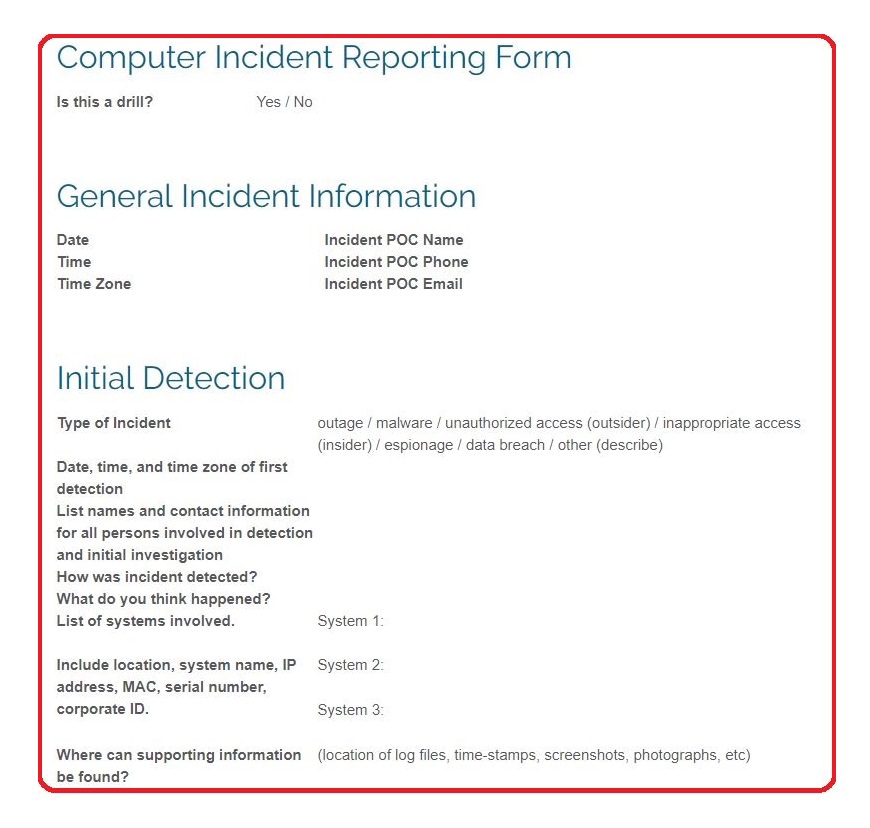
CMMC requires tracking various information. User accounts. Assets. Software. Risks. Incidents.
The KCD defines databases for each required recordkeeping function. What fields you need. What information to capture.
If you use SharePoint, these database definitions import directly. You get functional forms where staff fill in required fields. The system ensures you’re capturing needed information.
For example, the software inventory database includes what mobile code is authorized. Who’s responsible for each application. When it was last reviewed. This single database demonstrates several authorization requirements.
How Documents Connect
The real power of the KCD is how everything connects.
The SSP references policies. Policies reference procedures. Procedures reference forms. Forms feed databases. Everything links together.
Take logging requirements in Section 3.3.3. The SSP describes your logging implementation. It references the audit management policy for procedures. It points to the cybersecurity maintenance checklist for review tasks. It links to the cyber incident form for when logging reveals problems.
An assessor can trace from requirement to implementation to evidence. They see a coherent system, not disconnected documents.
The Self-Assessment Template
Before your formal assessment, you need to know where you stand. What’s your SPRS score? Which requirements need work?
The KCD includes a self-assessment template similar to what C3PAOs actually use. Work through each requirement. Document evidence reviewed. Mark status.
The template generates summary charts showing your compliance position. Visual progress tracking. Identification of gaps needing attention.
You can show executives exactly where you are. No monthly GRC subscription required.
900 Hours of Development
Creating comprehensive compliance documentation from scratch takes enormous effort. We estimate over 900 hours went into the KCD. A single person working full-time would spend roughly half a year.
When you purchase the KCD, you’re buying that development time. Documentation that’s been refined through actual use. We’ve been running our IT department with these documents for four years.
Every document has been through our own CMMC Level 2 assessment. We know what works because we’ve tested it.
Who This Helps Most
Organizations without dedicated compliance staff benefit most from pre-written documentation. You don’t have to figure out what assessors want. Examples show you.
IT administrators who understand their systems but not compliance language benefit from translated requirements. Actionable instructions instead of regulatory jargon.
Small teams benefit from consolidated checklists and templates. One document that generates evidence for dozens of requirements.
If you have unlimited compliance budget and dedicated experts, you can build everything yourself. If you don’t, the KCD provides a foundation that actually works.
Kieri Solutions built the KCD for our own CMMC Level 2 certification. We passed. Over 100 companies now use this documentation for their compliance programs.