

The System Security Plan for CMMC Level 2
Your System Security Plan is the first document a CMMC Level 2 assessor reads and the one they come back to whenever a finding needs support. It has to describe your system clearly enough that someone who has never visited can see how each requirement is met, and it has to match what your team does day to day.
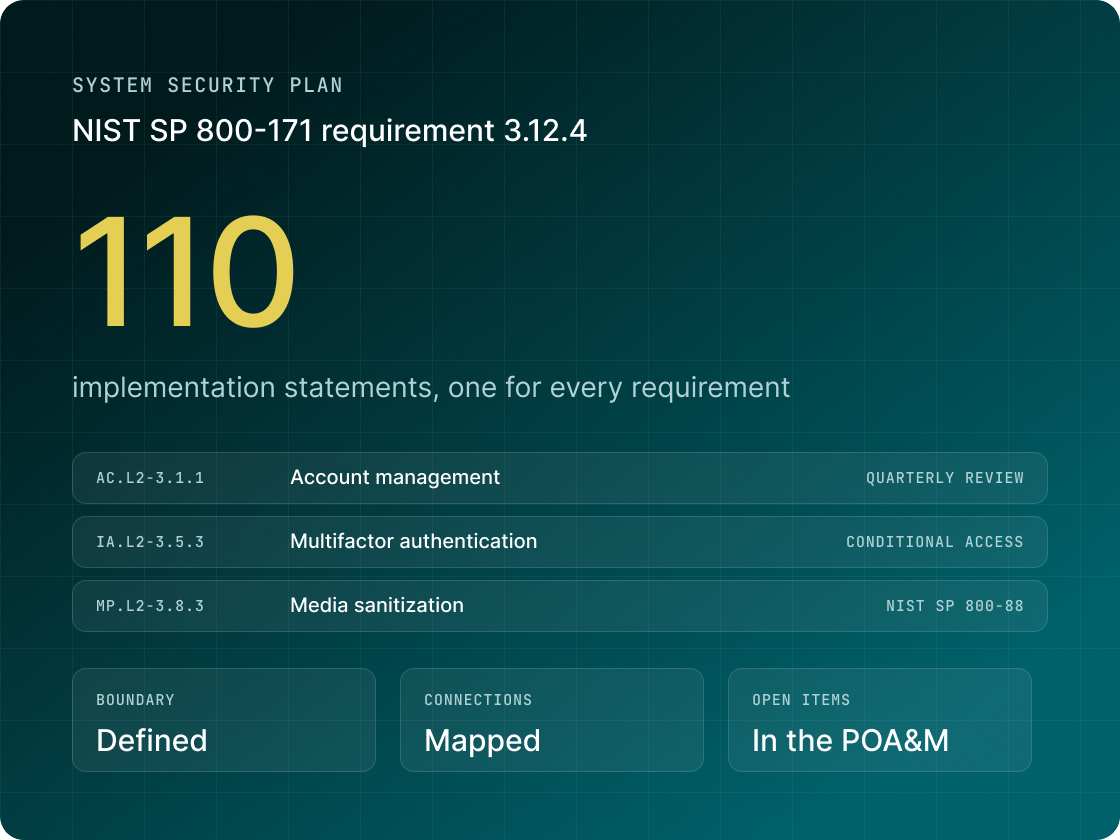
- NIST SP 800-171 requirement 3.12.4 calls for a system security plan that describes your system boundary, the environment it runs in, how each requirement is implemented and how it connects to other systems.
- A strong implementation statement names the system, the role, how often the task happens and where the record lives. Statements that repeat the requirement text get flagged.
- Your SSP, procedures and evidence have to agree with each other, and anything not yet in place belongs in the POA&M.
What the System Security Plan is
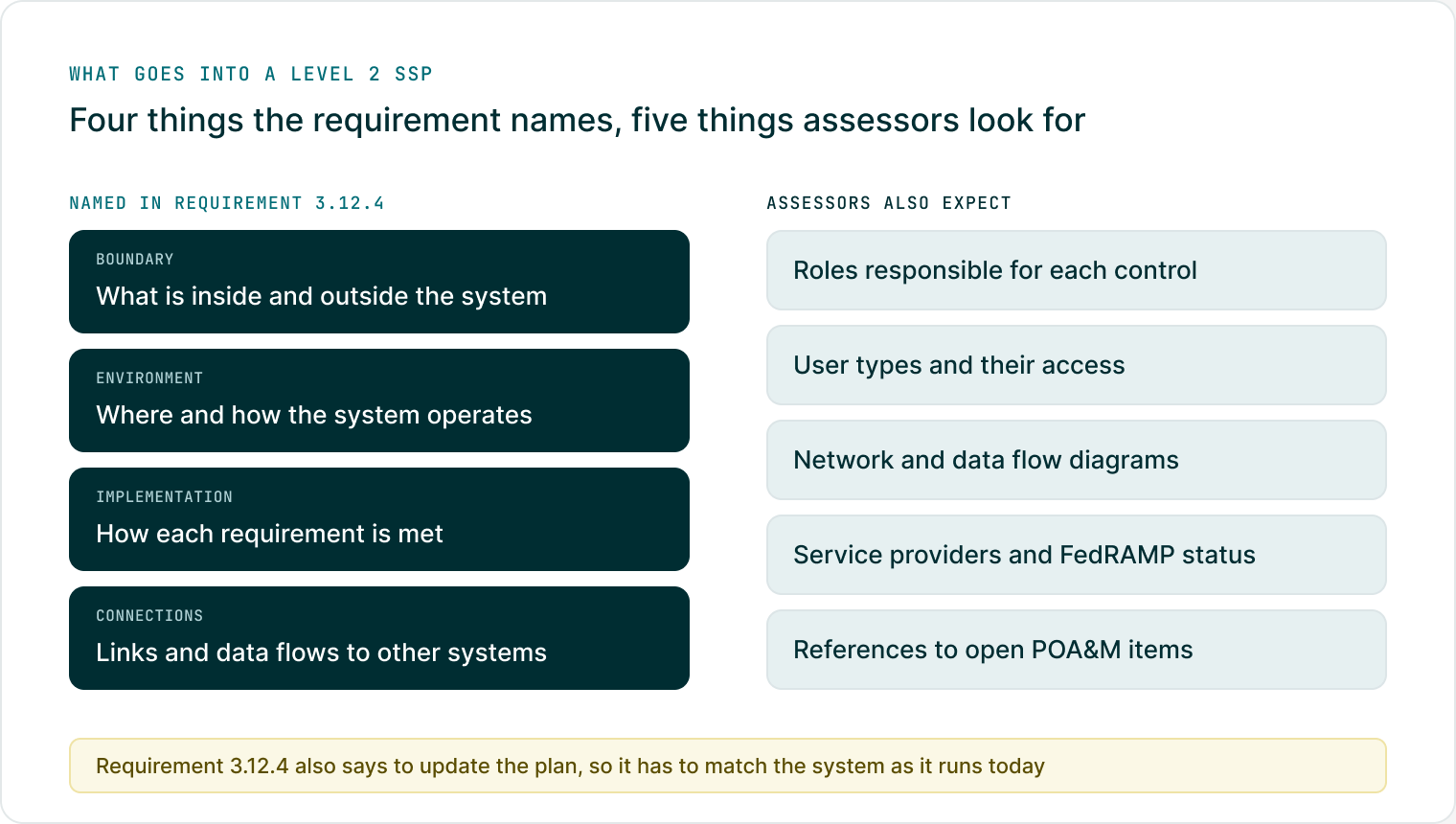
The System Security Plan, or SSP, is a written description of your information system and how it meets each of the 110 security requirements in NIST SP 800-171. Requirement 3.12.4 asks you to develop, document and periodically update a plan that describes the system boundary, the environment the system operates in, how each requirement is implemented and how the system connects to other systems.
It isn't a new obligation. DFARS 252.204-7012 required contractors that handle covered defense information to implement NIST SP 800-171 by December 31, 2017, and the SSP is one of those requirements. The DoD Assessment Methodology behind your SPRS score is built on a review of the SSP, so without one there's nothing to score.
An assessor uses the SSP in three ways. It tells them what's in scope before they test anything. It's the statement they compare against what's running in your environment. And it's the reference for every other document, so when a procedure says one thing and the SSP says another, that difference becomes a finding.

What a CMMC Level 2 SSP needs to contain
Requirement 3.12.4 names four elements. Assessors also look for a few more pieces that make those four testable, and most SSP templates include them. Every section should be accurate and consistent with what's running in your environment.
| SSP section | What it should include | Gap assessors flag |
|---|---|---|
| System description | The purpose of the system, the types of CUI it handles and who uses it | Generic text that reads like a template introduction |
| Boundary and scope | Every system, application and cloud service that processes, stores or transmits CUI, backed by diagrams | A boundary described without naming the systems inside it |
| Implementation statements | One statement per requirement that says who does what, with which system and how often | Statements that repeat the requirement text |
| Roles | The role responsible for each control, matching your org chart and procedures | Generic titles that nobody in the company holds |
| User types | Privileged users, standard users and any outside parties with access | No line drawn between privileged and standard access |
| Diagrams | Network layout, CUI data flows and the boundary line | Diagrams that are out of date or skip CUI flows |
| Service providers | Each cloud or managed service that touches CUI, with its FedRAMP Moderate status or equivalent | SaaS tools that touch CUI left off the list |
| POA&M references | Which requirements are open and where the plan to close each one lives | No cross reference, so assessors can't tell what's finished |
Weak and strong implementation statements
A statement that repeats the requirement tells an assessor nothing they can test. They have to ask your team follow up questions during the assessment, and every answer then needs evidence on the spot.
A strong statement names the system, the role, how often the task happens and where the record lives. Here's how the two compare for five requirements.
| Requirement | Weak statement | Strong statement |
|---|---|---|
| Account management (AC.L2-3.1.1) | The organization manages user accounts in accordance with organizational policies. | The IT administrator creates accounts using the onboarding procedure in section 2.1 of the administrative processes. The CIO approves each account after checking the request form, screening status and required training. Active accounts are kept in the account database, reviewed quarterly and reauthorized every year. |
| Multifactor authentication (IA.L2-3.5.3) | The organization uses multifactor authentication for all user accounts. | Microsoft Entra ID Conditional Access requires MFA for every licensed user in the GCC High tenant, covering Microsoft 365, the VPN and Windows sign in. Privileged accounts use hardware FIDO2 keys. The systems administrator reviews enrollment each month and reports it at the monthly SIEM review. |
| Incident response (IR.L2-3.6.1) | The organization has an incident response plan that addresses security incidents. | Staff report suspected incidents to the IT security lead within one hour using the incident form in SharePoint. The security lead starts the incident response procedure within four hours. Cyber incidents that affect covered defense information are reported to the DoW through DIBNet within 72 hours, as DFARS 252.204-7012 requires. Records stay in the incident log for at least three years. |
| Configuration management (CM.L2-3.4.1) | The organization maintains baseline configurations for all systems. | Group Policy from the Active Directory server enforces the Windows 11 baseline, including FIPS validated encryption, host firewall rules, USB restrictions and screen lock. The baseline is reviewed at the monthly change meeting and updated when patches are approved through WSUS. Deviations go in the change log for the systems administrator to review. |
| Media sanitization (MP.L2-3.8.3) | The organization sanitizes media prior to disposal or reuse. | The systems administrator sanitizes removable media and drives from CUI systems before reuse or disposal, following NIST SP 800-88, and logs the date, device, serial number, method and name of the person who did it. Drives that can't be wiped are destroyed by a vendor that provides a certificate of destruction. |
How the SSP connects to policies, procedures and evidence
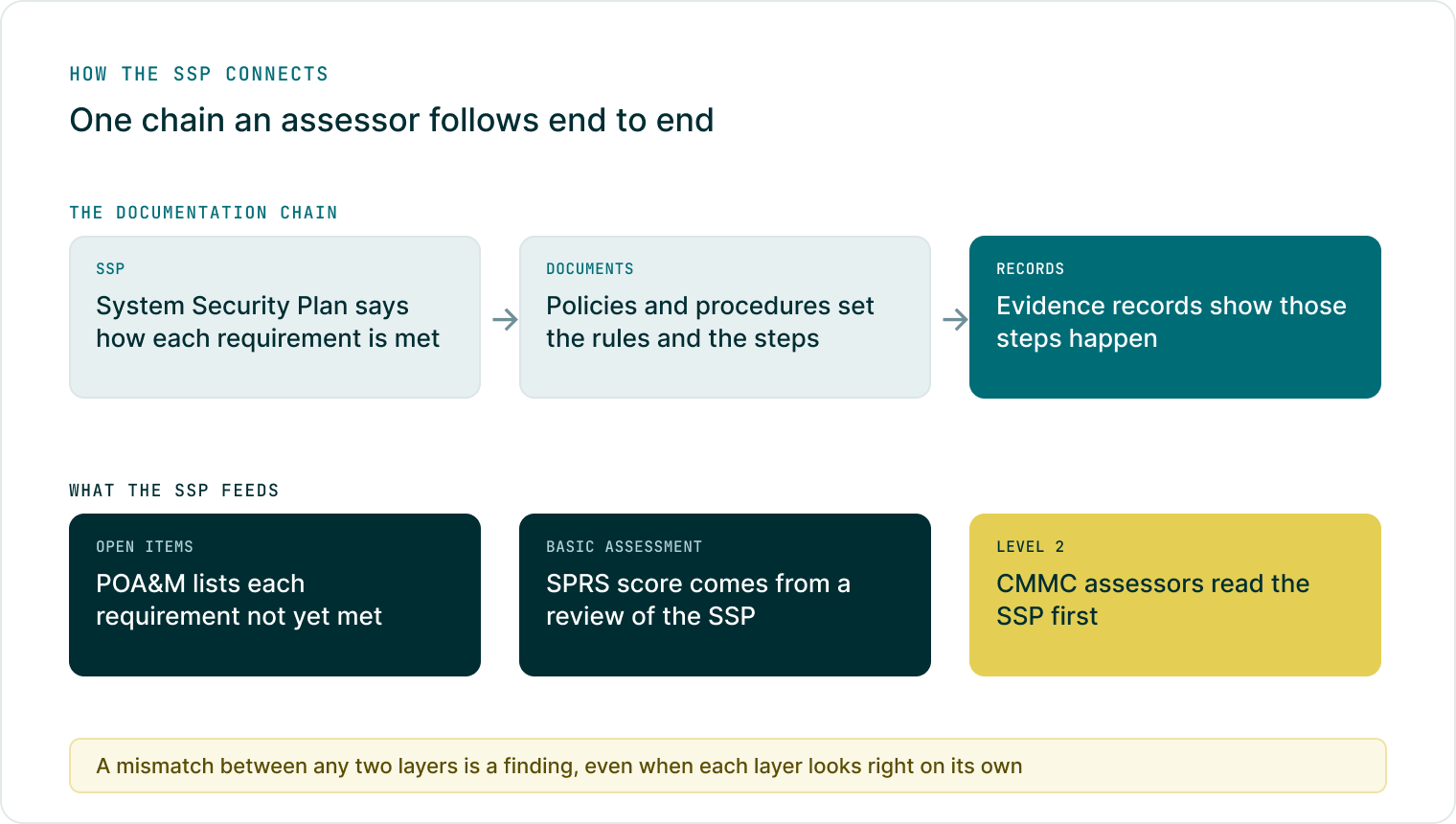
Assessors don't read the SSP on its own. They move from it to your policies and procedures, then to the records that show those procedures happen. Each layer can look fine alone and still produce a finding if it disagrees with the next one.
SSP to policy
Each implementation statement should have a policy that authorizes the practice. If the SSP says CUI is encrypted at rest, your data protection policy should require that encryption.
Policy to procedure
Policies say what has to happen and procedures say how. When the SSP names a procedure by section, assessors check that it exists, that it's current and that it describes the same process.
Procedure to evidence
Evidence comes from running the procedure. Access review logs, change records, maintenance checklists and SIEM alerts show the process is in use. A well written procedure with no records behind it is scored as not met.
SSP to POA&M and SPRS
Requirements that aren't fully met go in the POA&M with the gap, the fix, an owner and a date. A requirement shouldn't show as implemented in the SSP and open in the POA&M at the same time. Under the CMMC rule, only some requirements can sit on a POA&M for a conditional status, and they have to be closed within 180 days. Your SPRS score comes from the same assessment, so all three documents need to tell the same story.
Four SSP problems assessors flag
Kieri's assessors see the same documentation problems again and again. Fixing them before an assessment saves you from explaining them during one.
Template text left as it was bought
A purchased template submitted with little change describes a generic company. Assessors recognize template language quickly, and it doesn't describe how your company works. Rewrite any statement that could apply to any organization so it names your systems, your roles and your processes.
Statements that describe plans
"The organization will implement MFA for all privileged accounts" is a commitment. Assessors evaluate what's in place today. Read every statement for present tense and move future work into the POA&M.
A plan that no longer matches the environment
New cloud services, staff changes and infrastructure upgrades all change what the SSP should say. When an assessor finds a named system that was retired, they start questioning the rest of the document. Review the SSP whenever the environment changes and at least once a year, and record the review date and reviewers in the plan.
Service providers left out
Email, collaboration, file sharing and remote access tools often touch CUI and get missed. Each one needs to appear in the SSP with its FedRAMP Moderate status or equivalent. Map your CUI data flows and list every outside service those flows pass through.
How the KCD SSP is built
A blank SSP template leaves the quality up to how well your team already knows the requirements. The Kieri Compliance Documentation starts from the SSP Kieri used in its own CMMC Level 2 assessment by DCMA DIBCAC, structured so other companies can adapt it to their environment.
- Statements for all 110 requirements. Each one describes how the requirement is performed, by whom and with which system.
- Roles and process names built in. Customizing means swapping in your own role and process names.
- Linked to procedures. Each statement references the procedure section that governs it, so an assessor can follow the trail without asking your team.
- Notes on good implementations. Commentary explains why an approach meets the assessment objectives, so your team can adapt it with confidence.
- Updates when requirements change. When the DoW changes the NIST SP 800-171 revision your contracts require, subscribers get updated templates.
SSP questions
How long should a CMMC Level 2 SSP be?
There's no required page count. Length follows from the size of your environment and the detail in each statement. A short SSP full of vague statements will produce more findings than a longer one that describes each control specifically.
Can we reuse the SSP from our SPRS self assessment?
It's a good starting point. Self assessment SSPs are often written quickly to get a score posted, so they usually need more detail before a C3PAO assessment. A Kieri gap analysis can review your SSP against what assessors expect before you book a date.
Do we need one SSP for the company or one per system?
Either works. One SSP can cover the whole assessment boundary, or separate plans can cover systems you run separately. Many small contractors keep one SSP for their main CUI environment, and your scoping decisions settle which structure fits.
How often should we update the SSP?
Update it whenever something significant changes, such as adding or removing systems, switching cloud providers, upgrading infrastructure, changing who holds a named role or changing a referenced procedure. We also recommend a formal review at least once a year, with the date and reviewers recorded in the plan. Assessors will ask when it was last reviewed and by whom.
What's the difference between the SSP and the POA&M?
The SSP describes how requirements are implemented. The POA&M lists the ones that aren't fully implemented yet, with the planned fix, an owner and a date. Assessors compare the two, so a requirement shouldn't show as implemented in one and open in the other.
Can we write our own SSP?
Yes, and many companies do. It takes a solid grasp of what each requirement means in practice and the discipline to describe your setup specifically. The KCD gives you a written SSP to adapt, which is faster than starting from a blank page.
More CMMC technical guides
Your SPRS Score and What It Means
How the score is calculated and what a low score signals.
Read the guide →
NIST SP 800-171 Rev 2 and Rev 3
What changed between the revisions and which one your contracts use.
Read the guide →
CUI Identification and Handling
What counts as CUI and where it lives in your systems.
Read the guide →